Category: Live
Catapult Health
Help Manage Risks & Prevent Chronic DiseaseBiometric Screenings on Your Time
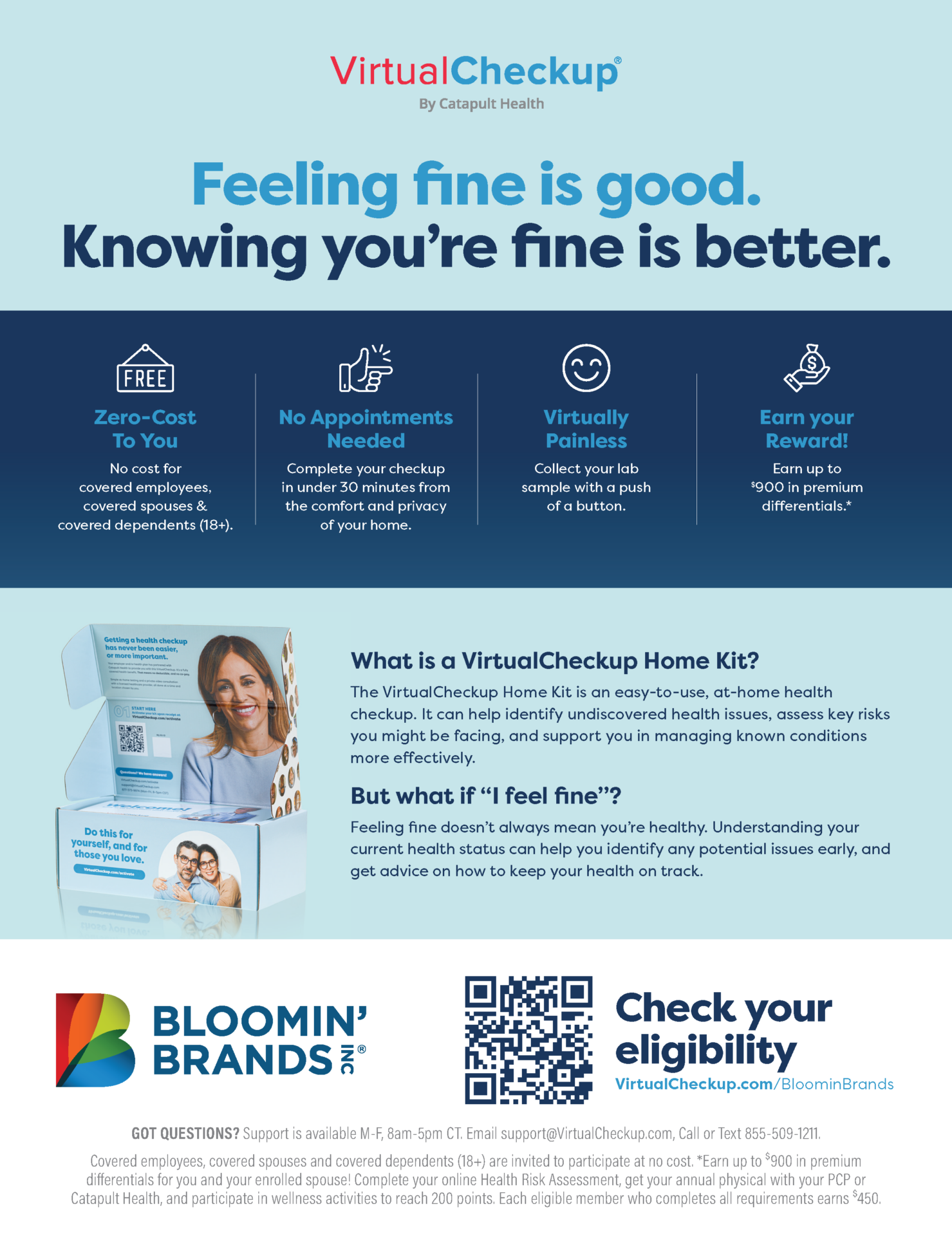
Complete Your Screening & Earn Rewards
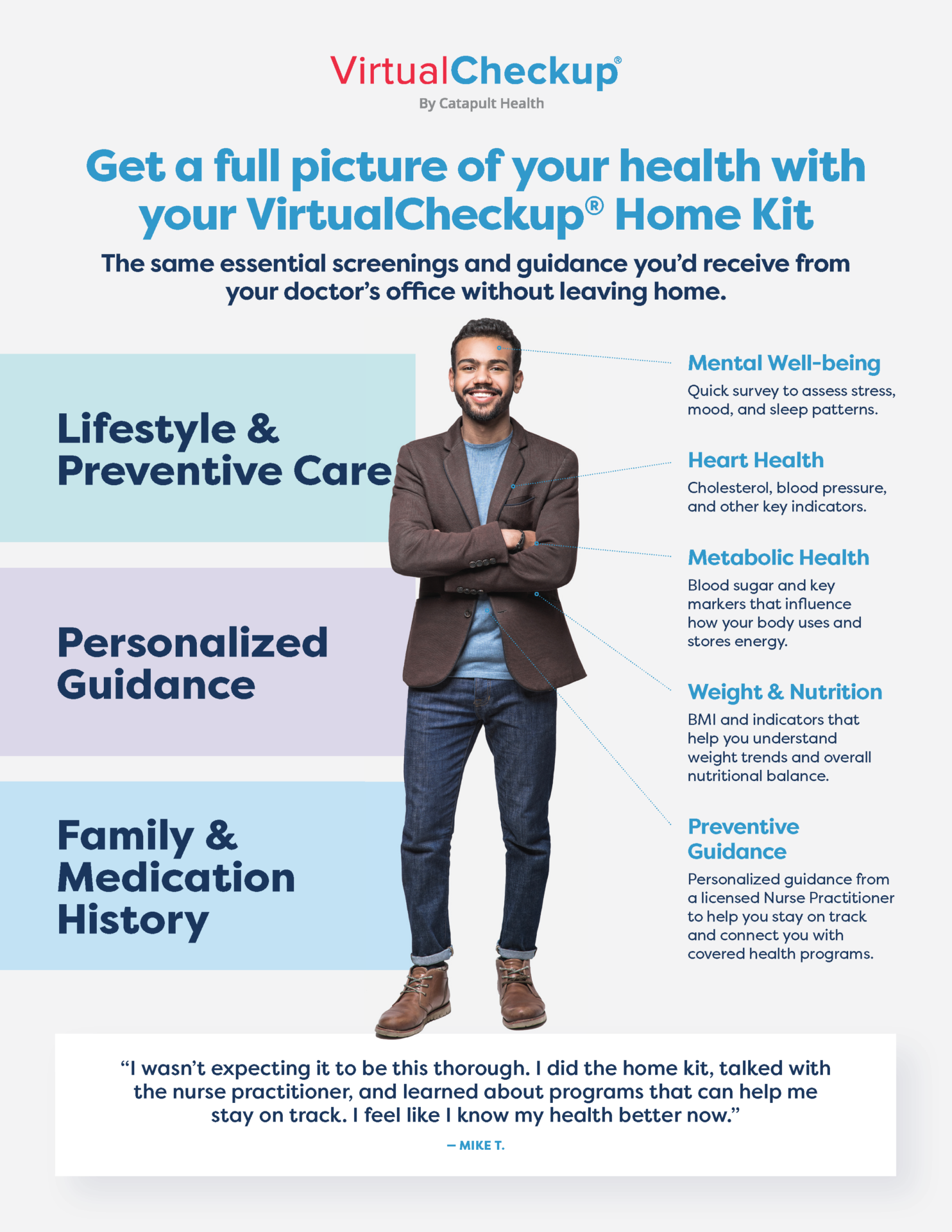
As part of our Health Rewards program, completing your biometric screening translates into keeping a pulse on your health and knowing your numbers.
- To maximize your premium discounts for the 2027 benefits plan year, make sure you and your eligible spouse complete your biometric screenings by Sept. 30, 2026. This ensures your premium discounts start on Jan. 1, 2027.
- Any biometric screenings completed after Sept. 30 but before Nov. 30, 2026, will still earn premium discounts but will not be applied retroactively to Jan. 1, 2027. Therefore, we highly encourage you to get your screenings done by Sept. 2026 to take advantage of the full premium discounts for 2027.
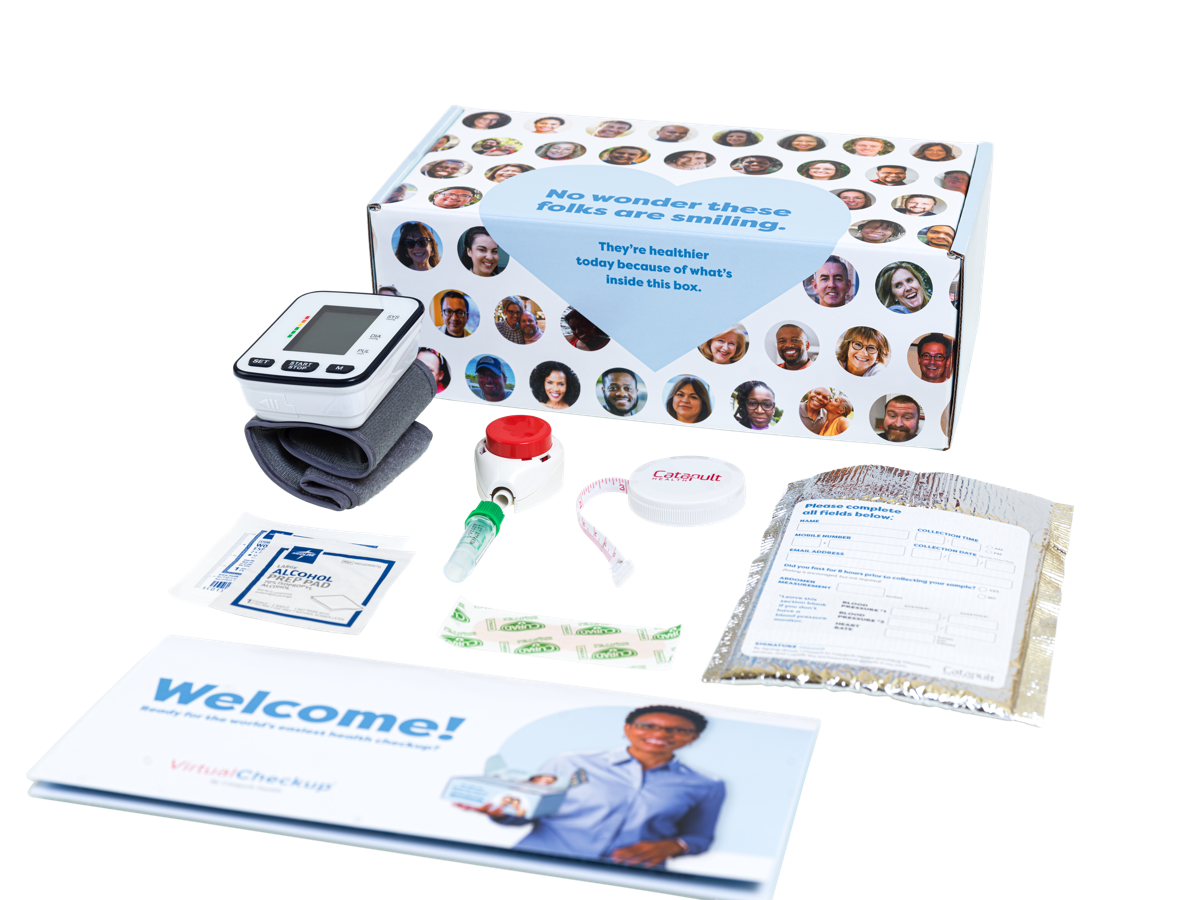
There are three options for completing your biometric screening: at a Patient Service Center (PSC), with a physician, or with self-collection – you can find more details about each screening method below.

Blue Cross & Blue Shield of Florida (BCBSFL) or Florida Blue
Medical
Contact Information
Phone: 1-833-578-1132
Using Your Health Savings Account (HSA)
How Your HSA Works & How to Contribute FundsHealth Savings Account (HSA)
The Choice HSA medical plan has a health savings account (HSA) administered by AccrueHealth.
Opening an HSA
By opening an HSA, you can:
- Set aside money pretax to pay for qualified expenses.
- Earn tax-free interest over time.
- Make tax-free withdrawals to pay for qualified medical, dental, and vision expenses.
- Use it as a retirement savings tool. Invest part of your HSA in mutual funds to save for the future.
Contributing Your Own Funds to Your HSA
You can elect to deposit your own money into your HSA from each paycheck before your pay is taxed. The maximum amount you can contribute to your HSA is the annual limit set by the IRS, plus any catch-up contributions if you are eligible.
2026 IRS contribution limits:
- $4,400 if you only cover yourself.
- $8,750 if you cover family members.
- If you are age 55 or older, you can contribute an additional $1,000.
How Medical Expenses Are Paid
When you incur eligible health care expenses, it’s your choice how you pay. You can choose to pay using funds from the HSA or pay another way (e.g., cash or card).
As a reminder, in-network preventive care services are covered 100% throughout the plan year and do not affect your HSA funds.
The Choice HSA medical plan has a deductible, which is the total amount you must pay for non-preventive services before coinsurance takes effect.
Coinsurance is when the medical plan shares in the cost of eligible healthcare expenses. This takes effect after you have paid the plan deductible.
For example, if the plan pays 80% of the cost for services after the deductible is met, you will pay the remaining 20% of the cost.
Note: If any dependents are enrolled in your coverage, you must meet the family deductible before the plan shares the cost of eligible expenses.
Once your deductible and coinsurance payments add up to the plan’s out-of-pocket maximum, the plan will pay 100% of all eligible healthcare expenses for the rest of the plan year.
More Resources

AccrueHealth
Health Savings Account (HSA)
Contact Information
Phone: 1-844-643-3099
Available Monday through Friday from 8 a.m. - 8 p.m. ET.
Quick Links
Using Your HRA through Dec. 31, 2025
If you had a health reimbursement account (HRA) for the 2025 plan year, follow the link below for information about using your HRA and submitting claims for reimbursement.
Commuter Benefits
Use Pretax Dollars for Eligible Commuting ExpensesWhat Are Commuter Benefits?
Commuter Benefits are a convenient way for employees to save money on their daily travel to and from work. These benefits allow you to use pretax dollars to pay for eligible commuting expenses, such as public transit fares, ride shares, and parking costs. By enrolling in a commuter benefits program, you can reduce your taxable income and keep more of your paycheck – all while making your commute more affordable and manageable. It’s a simple, tax-smart way to support your daily travel needs.
Eligibility & Covered Expenses
- Who is Eligible? Any employee who works in an eligible state
- Eligible States: California, Illinois, New Jersey, New York, and Pennsylvania
- 2025 Pretax Contribution Limit: $325 per month
- 2026 Pretax Contribution Limit: $340 per month
- Eligible Expenses: Work-related mass transit and parking expenses only. Follow the link below to access and search a list of eligible expenses
How to Enroll
To enroll in Commuter Benefits, you’ll need to log in to Workday and submit a Change Benefits life event.
Additional Information

Wex Benefits
Commuter Benefits, Flexible Spending Accounts (FSAs), and COBRA Continuation Coverage
Contact Information
Available Monday through Friday from 6 a.m. to 9 p.m. CT.
Phone: 1-866-451-3399
Fax: 1-866-451-3245
Open Enrollment for 2026 is closed. You will not be able to make any changes to your benefit elections until the next Open Enrollment period unless you experience a qualifying life event. You can use this website and the Benefits Guidebook to review your benefits and coverage information all year long.
New to Bloomin’ Brands? Visit the New Hires page to get started.
Quest Diagnostics
Help Manage Risks & Prevent Chronic DiseaseBiometric Screening Information for the 2026 Plan Year
Catapult Health is replacing Quest Diagnostics for the 2026 plan year. Follow the link below for information.
Biometric Screenings on Your Time
Complete Your Screening & Earn Rewards
As part of our Health Rewards program, completing your biometric screening translates into keeping a pulse on your health and knowing your numbers.
- To maximize your premium discounts for the 2026 benefits plan year, make sure you and your eligible spouse complete your biometric screenings by Sept. 30, 2025. This ensures your premium discounts start on Jan. 1, 2026.
- Any biometric screenings completed after Sept. 30 but before Nov. 30, 2025, will still earn premium discounts but will not be applied retroactively to Jan. 1, 2026. Therefore, we highly encourage you to get your screenings done by Sept. 2025 to take advantage of the full premium discounts for 2026.
There are three options for completing your biometric screening: at a Patient Service Center (PSC), with a physician, or with self-collection – you can find more details about each screening method below.
To get started, follow the steps below to create your Quest account and choose your preferred screening method.
Step 1: Create Your Quest Account
In order to select your preferred screening method and complete your biometric screening, you will first need to create your Quest account.
- Visit My.QuestforHealth.com.
- Under Create Account, enter the Bloomin’ Brands registration key: Bloominbrands2025.
- Select Register Now.
- Review and accept the terms and conditions.
- Follow the prompts to confirm your eligibility, create your account, and enter your information.
Step 2: Choose Your Preferred Screening Method
Within your Quest account, you will select your preferred method of screening your biometrics from three available options:
- Go a Patient Service Center (PSC): Quest Diagnostics has nearly 2,000 PSC locations nationwide.
- See your own physician and have them complete a Physician Results Form. If you can’t go to an event or PSC, complete your screening with a physician.
- Self-collect at home.
Follow the link below to read about each screening method and the steps involved.

Blue Cross & Blue Shield of Florida (BCBSFL)
Medical
Contact Information
Medical: 1-833-578-1132
Quit for Life: 1-866-784-8454
Financial Wellness
Manage Your Money EffectivelySupport Your Financial Well-Being
The Bloomin’ Brands EAP includes a Financial Wellness program, which provides you with a Money Coach and other resources to help you manage your money effectively. You can be confident about your finances when you make a budget, avoid or reduce debt, buy a home, grow your family, save for retirement and more.
Money Coach Consultations
- Each year you’ll get three 30-minute phone consultations per topic, led by certified professional Money Coaches, to teach you new habits to resolve your financial challenges and achieve your goals.
- Support is available for debt and credit, spending and saving, college and student loans, home buying and estate planning, getting married and growing your family, saving for retirement, and more.
- Money Coaches have an average of 22 years of relevant professional experience and several certifications.
- Coaches do not sell products: they provide confidential, unbiased guidance to help you get into good financial shape.
- Money Coaches are available Monday to Friday from 9 a.m. – 11 p.m. ET.
Take Action Today
To get started with the Financial Wellness program, log in to the Magellan Ascend Member Portal or call 1-800-327-6754 (TTY 711).
In the portal, you can schedule a Money Coach consultation, take an assessment to learn how money affects your health and wealth, and access premium financial content such as events, videos, articles, and calculators.
Provider

Magellan Healthcare
Employee Assistance Program (EAP)
Contact Information
Phone: 1-800-327-6754
HR Resource Center
Communications Archive & Other Resources for HR LeadersTeam Member Handbook
What is a Break in Service?
If you have no hours of service for 14 weeks or longer, you will be considered as having a break in service. When you return to work, you will be treated like a new Team Member for benefits and will be subject to the initial eligibility review as described in Initial Eligibility & Enrollment.
- If you return or are rehired and begin accruing hours of service within 14 weeks of your last day of service or your termination date, you will not be considered as having had a break in service and your eligibility will not be reset.
- If you are benefits-eligible upon your return, you will have the opportunity to re-elect benefits effective the first of the month following or coinciding with your rehire date. You will have 45 days from your benefits effective date to enroll in coverage. For example, if you can join the benefits plan starting on June 1, you will have until July 15 to enroll.
If you are benefit-eligible and your break in services lasts less than 30 days, your previous benefit elections will be automatically reinstated with no gap in coverage.
Breaks in Service
Resuming Your Benefits After Returning to WorkWhat is a Break in Service?
If you have no hours of service for 14 weeks or longer, you will be considered as having a break in service. When you return to work, you will be treated like a new Team Member for benefits and will be subject to the initial eligibility review as described in Initial Eligibility & Enrollment.
- If you return or are rehired and begin accruing hours of service within 14 weeks of your last day of service or your termination date, you will not be considered as having had a break in service and your eligibility will not be reset.
- If you are benefits-eligible upon your return, you will have the opportunity to re-elect benefits effective the first of the month following or coinciding with your rehire date. You will have 45 days from your benefits effective date to enroll in coverage. For example, if you can join the benefits plan starting on June 1, you will have until July 15 to enroll.
If you are benefit-eligible and your break in services lasts less than 30 days, your previous benefit elections will be automatically reinstated with no gap in coverage.